10.0.0.1 is the gateway IP address of your router to access the web-based user interface to change Wi-Fi password, Network Name (SSID), and other default settings.
To access your router settings, type http://10.0.0.1 in the address bar of your web browser or click on the Login button below.
Your device must be connected to the router via Wi-Fi or an Ethernet cable.
The gateway IP address will only load on the browser when your device is connected to the router. For help, see How to find your router IP address? and Can’t connect to my Router login page; what do I do?.
Default Username and Password
Common default router username and password combinations.
| Router Model | IP Address | Username | Password |
|---|---|---|---|
| LPB Piso Wifi | 10.0.0.1 | admin | 123456789 |
| Xfinity WiFi Gateway | 10.0.0.1 | admin | password |
| LPB Piso Wifi | 10.0.0.1 | administrator | admin1234 |
| Ado Piso Wifi | 10.0.0.1 | admin | admin |
| Xfinity Advanced Gateway XB6 | 10.0.0.1 | admin | [Set during initial setup] |
| PisoFi | 10.0.0.1 | administrator | admin12345 |
| Xfinity WiFi Gateway XB3 | 10.0.0.1 | admin | [Printed on router sticker] |
| Xfinity Advanced Gateway XB7 | 10.0.0.1 | admin | [Set during initial setup] |
| Xfinity Advanced Gateway XB8 | 10.0.0.1 | admin | [Set during initial setup] |
| Xfinity Advanced Gateway XB10 | 10.0.0.1 | admin | [Set during initial setup] |
| Huawei HG532E | 10.0.0.1 | admin | [Modem Serial Number (S/N)] |
| Huawei HG531v1 | 10.0.0.1 | admin | [Modem Serial Number (S/N)] |
| Huawei HG8245H | 10.0.0.1 | [Modem Serial Number (S/N)] | [Modem Serial Number (S/N)] |
| ZTE H108N | 10.0.0.1 | admin | [Modem Serial Number (S/N)] |
| ZTE H167A | 10.0.0.1 | admin | [Modem Serial Number (S/N)] |
| Sagemcom Fast 4315 | 10.0.0.1 | admin | [Modem Serial Number (S/N)] |
| Zyxel VMG1312-B10B | 10.0.0.1 | admin | [Modem Serial Number (S/N)] |
| Zyxel VMG1312-T20B | 10.0.0.1 | admin | [Modem Serial Number (S/N)] |
| Huawei HG8145v5 | 10.0.0.1 | [Modem Serial Number (S/N)] | [Modem Serial Number (S/N)] |
| Intelbras WRN 240 | 10.0.0.1 | admin | admin |
| Intelbras WRN240i | 10.0.0.1 | admin | admin |
| Intelbras WRN342 | 10.0.0.1 | admin | admin |
| Intelbras RF 301K | 10.0.0.1 | admin | admin |
| Intelbras IWR 1000N | 10.0.0.1 | Not required | admin |
| Intelbras IWR 3000N | 10.0.0.1 | Not required | admin |
| Intelbras WRN 150 | 10.0.0.1 | admin | admin |
| Intelbras W5-1200G | 10.0.0.1 | admin | admin |
| Technicolor TC83005C | 10.0.0.1 | admin | password |
| Rogers Ignite WiFi Gateway | 10.0.0.1 | Admin | password |
| Shaw BlueCurve Gateway | 10.0.0.1 | admin | password |

Note: The default IP address, Username, and Password are printed on a sticker on the back or underside of the router. Some routers require you to create a new password during initial setup.
How to login to 10.0.0.1?
The exact menu path depends on your router brand, model and firmware version. Below are some router models using 10.0.0.1 as the default IP address.
LPB Piso Wi-Fi
- Connect your device to the “Piso Wifi” network.
- Open a browser and type http://10.0.0.1 in the address bar.

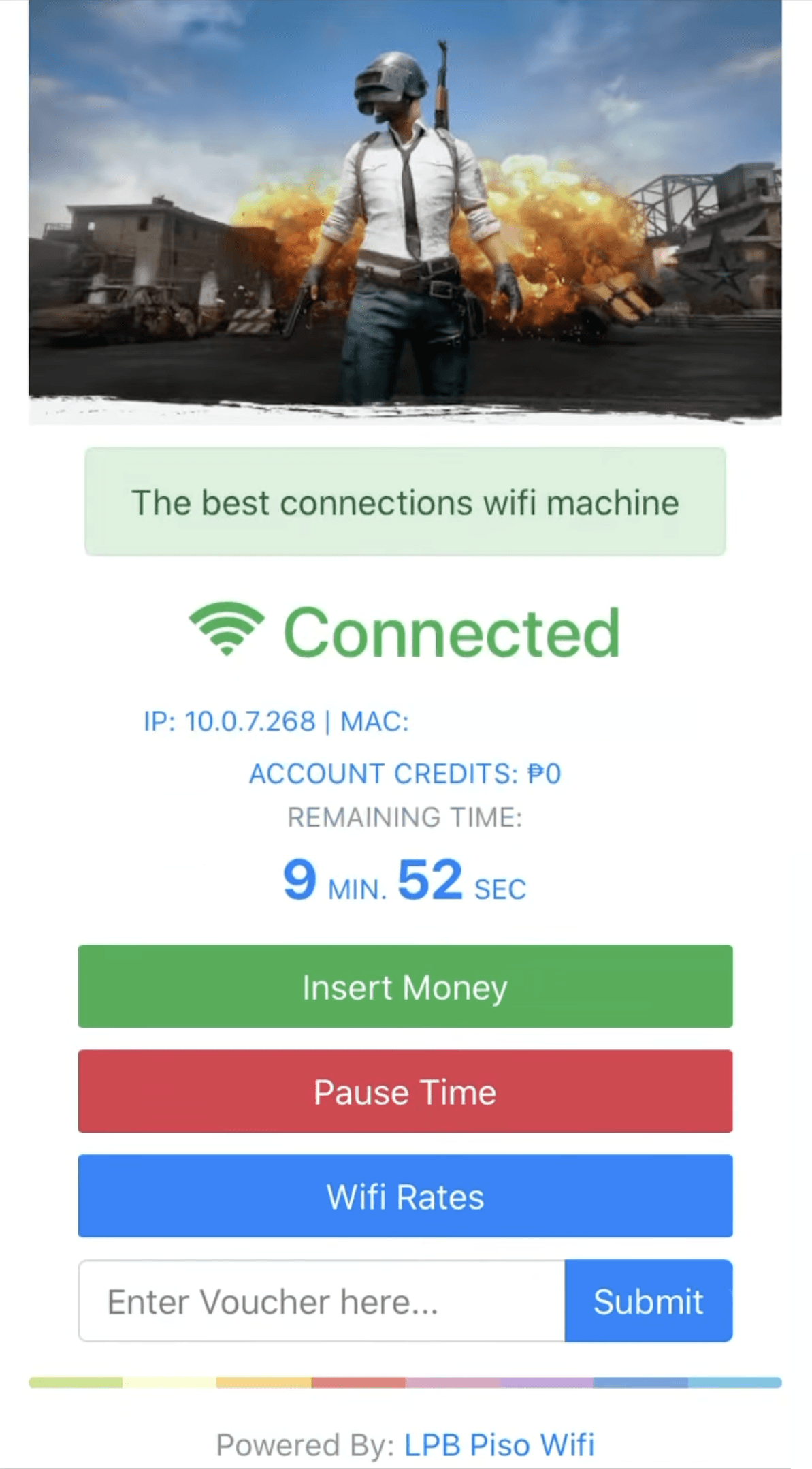
- Press “Insert Money” button and insert the coins in the Piso Wi-Fi vendo machine, then click Done Paying button. You can also submit the Voucher Code on the home screen.
- You have successfully claim your time. To pause the time click Pause Time button and to resume the time click Resume Time button.
Xfinity WiFi Gateway
- Connect your device to the router via Wi-Fi or an Ethernet cable.
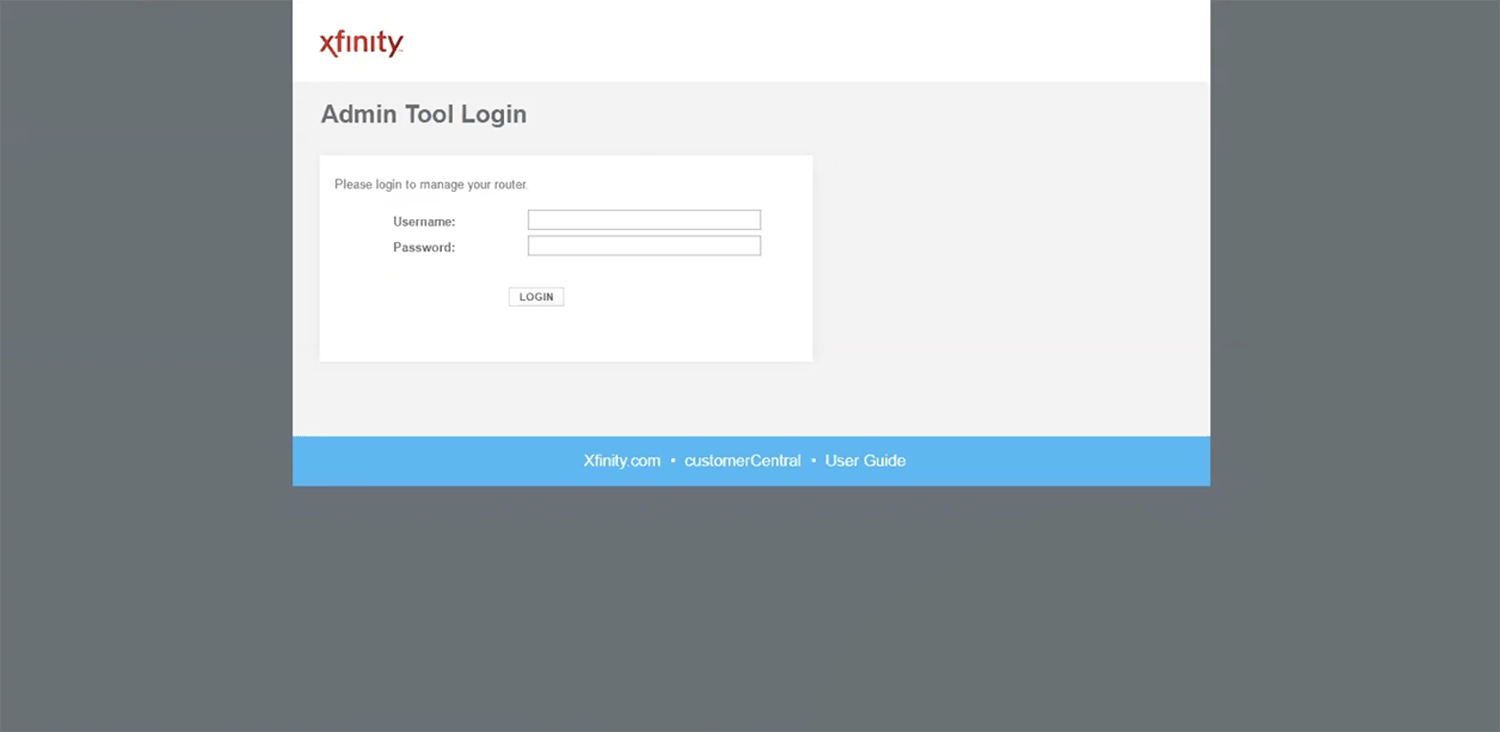
- Open a web browser and type http://10.0.0.1 in the address bar.

- Enter the Username: admin and Password: password and click Login.
- Select Gateway > Connection > Wi-Fi > Edit 2.4GHz.
- Enter the Wi-Fi network name in the Network Name (SSID) field.
- Select Security Mode: WPA/WPA2-PSK (TKIP/AES)(Recommended).
- Enter the Wi-Fi password in the Network Password field.
- Click Save Settings.